
Which photos work best for the Baile Charme AI trend
The ideal photo, what to avoid and how to digitize an old photo of your grandpa for the Baile Charme AI trend, with examples.
Which photos work best for the Baile Charme AI trend?
The best photo shows one person, waist-up, with a sharp face looking at the camera in even light. The trend video is a close-up of head and upper body in the middle of the crowd, so the face is what shows most: the sharper it is in the photo, the more the person in the video looks like the person in the photo. Full body works too, as long as the face stays sharp.
| What matters | Ideal |
|---|---|
| People in the photo | Just one |
| Framing | Waist-up (full body works too) |
| Face | Sharp, nothing in front of it, looking at the camera |
| Light | Even, near a window |
| Size | At least 512 px on the shorter side |
| Format | JPG, PNG or WebP, up to 10 MB |
30-second checklist before you upload
- Only one person in the photo.
- You can see the eyes (no sunglasses, hair or hand in front).
- No heavy filter.
- The photo isn't dark or blurry.
- The person is an adult and agreed to their photo being used.
Photos that work well
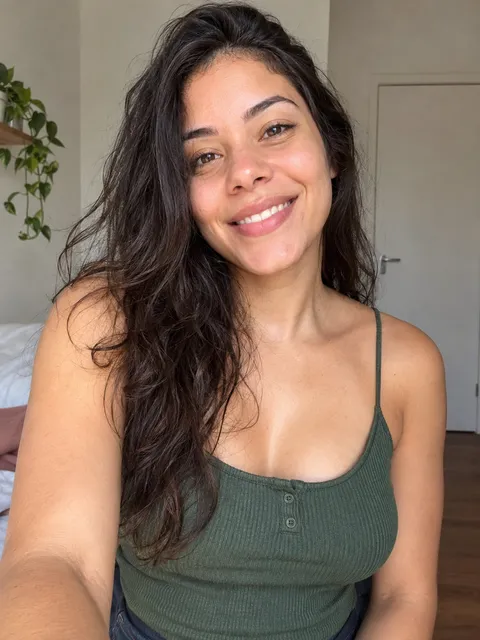
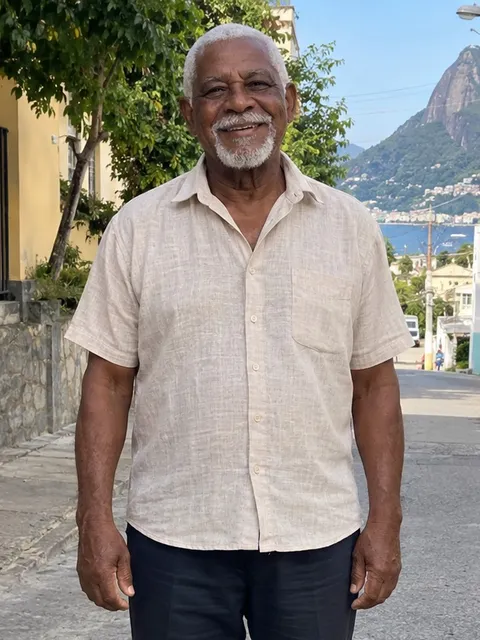
In a test with the same person, the waist-up crop gave a sharper face in the video than the full-body photo. If your photo is full body and the face looks small, crop it waist-up before uploading.
Photos that don't work
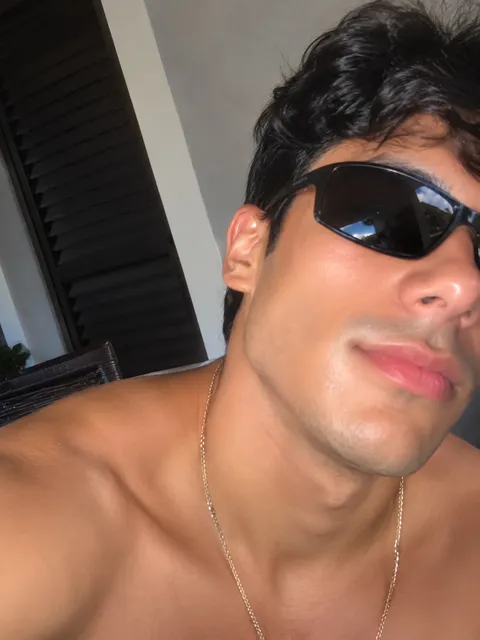
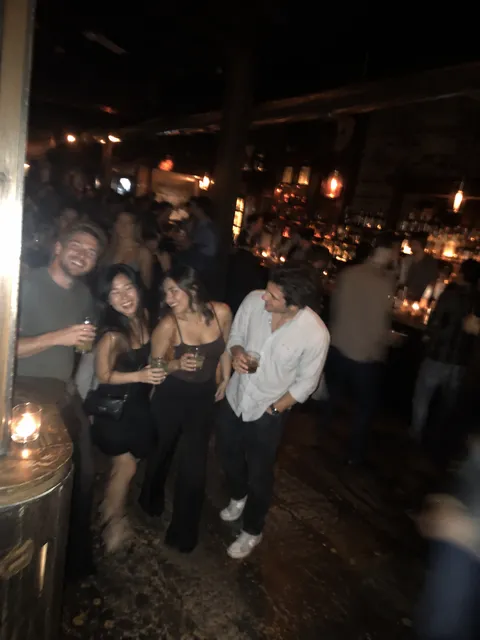
Does a full-body photo work?
Yes. Just check that the face isn't too small; if it is, crop it waist-up.
Do sunglasses or filters work?
No. Sunglasses hide the eyes and beauty filters change the skin, so the face in the video looks less like the person.
Does a group photo work?
Only if you crop it down to one person and the face is still sharp after cropping.
Does an old photo of my grandpa work?
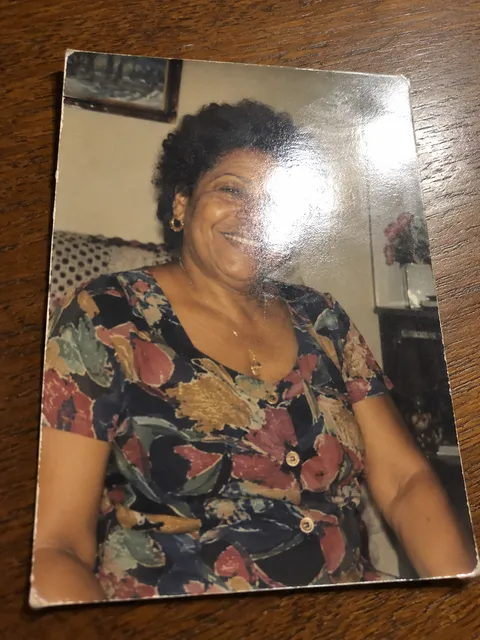
Yes, if the digital copy is good and he agreed to his photo being used. To digitize a printed photo:
- Put the photo on a table near a window, with no direct light on top of it.
- Shoot from straight above, phone parallel to the photo, so it doesn't skew.
- Turn off the flash and check there's no glare on the face.
- Crop to just the person and check the shorter side is at least 512 px.
What happens to your photo
We use your photo only to make your video and delete it 30 days after upload. The AI service that renders the video processes it too, under its own rules. We never use your photo to train our own AI (privacy policy).
If a video fails, we retry once for free; if it still fails, the credit goes back automatically. Then it's worth trying a sharper photo.
With the right photo ready, see how to make the Baile Charme AI dance video.